Brink

Edging · Connected toys · Android

Stay
on the edge.

Brink drives your connected toys during your edging sessions. The intensity builds, you tap when you get close, it cuts out and lets you come back down, then it starts again, a little stronger each time. And in the end, it might not be you who decides.

Coming soon How it works
  • Free
  • No ads, no trackers
  • Playable for two, remotely
  • 18+ only
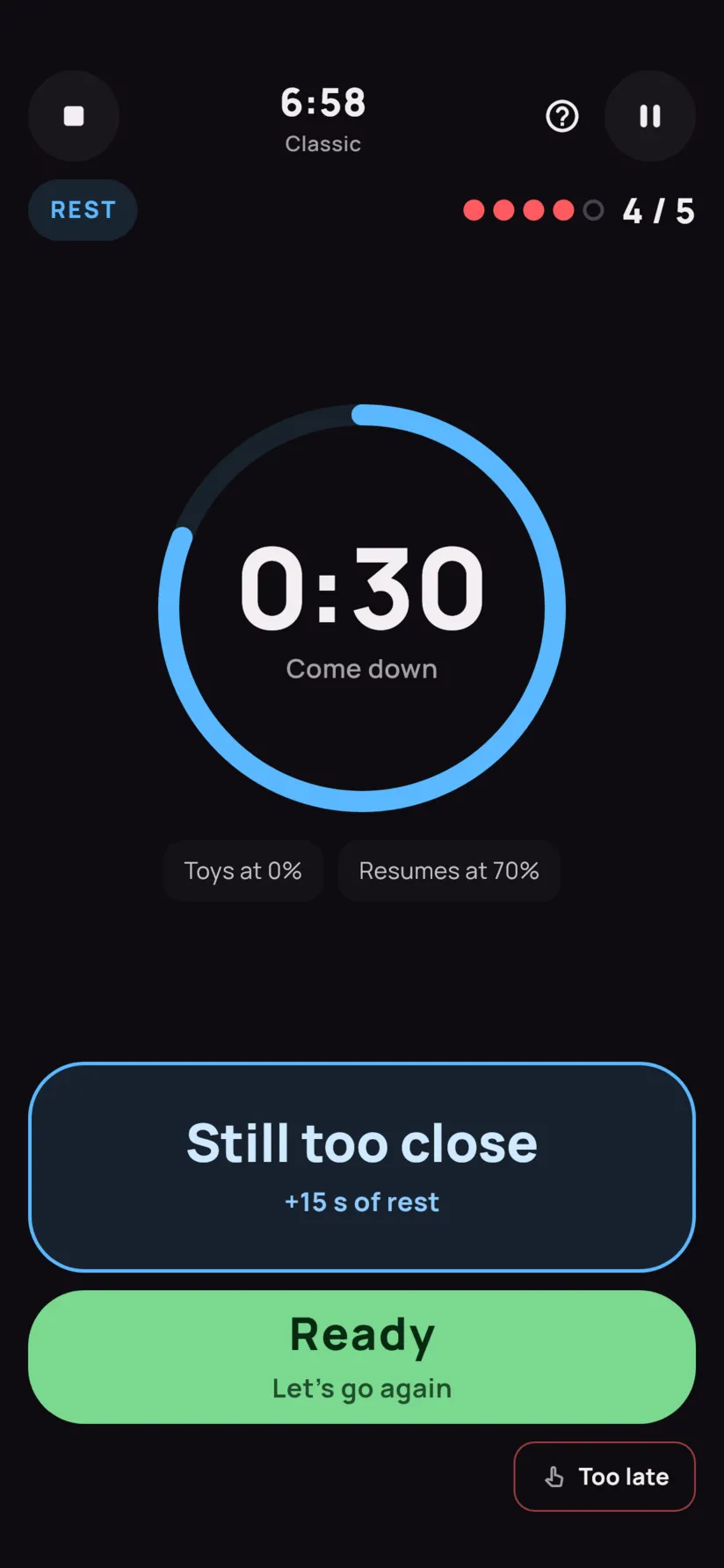
A rest during the session: a blue 24-second countdown, with “Still too close” and “Ready” buttons.
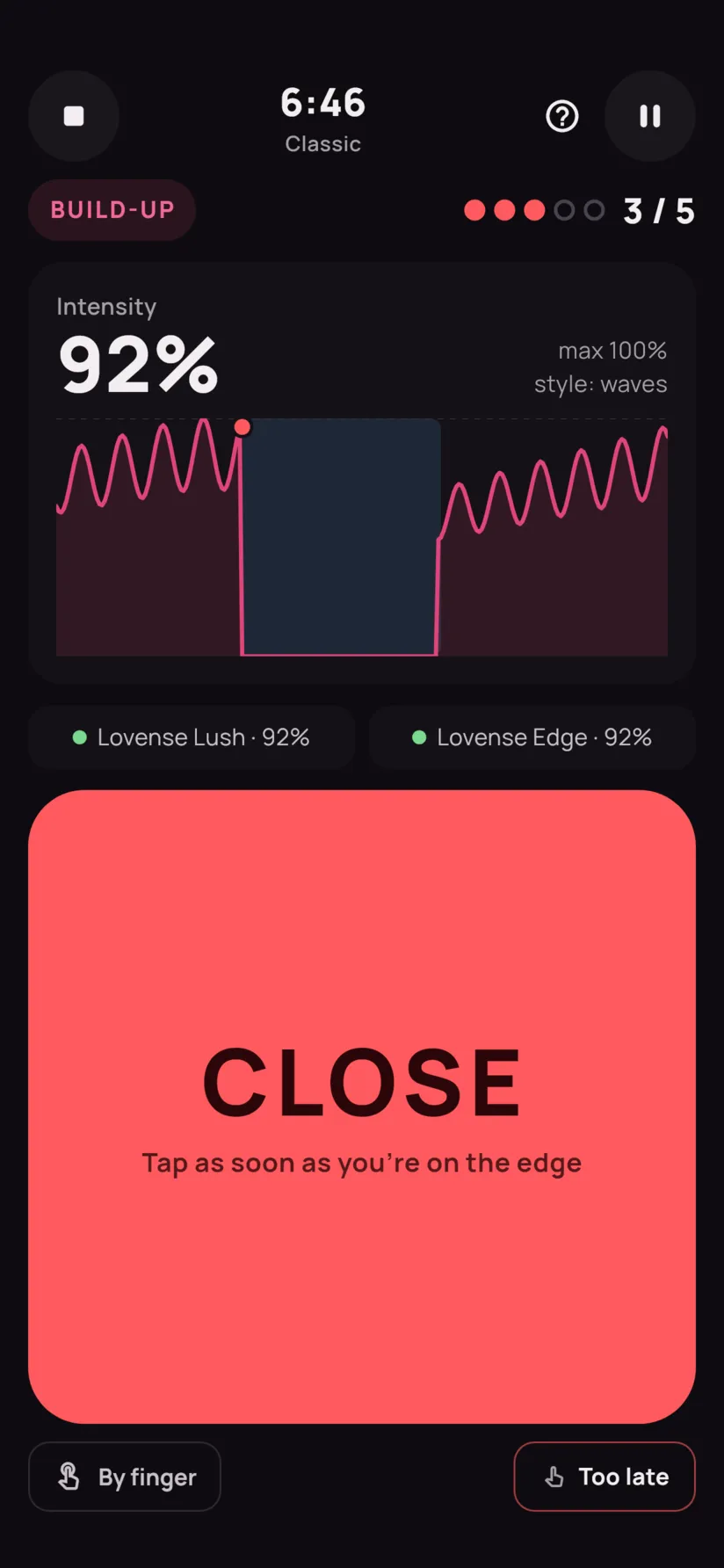
A session in full build-up: intensity at 86%, a wave curve, and the big red CLOSE button.
Edge 3 of 5 at 86% intensity

How it works

A simple loop.
A rising tension.

A Brink session is a series of trips to the edge and back. During the session, you set nothing: you have a single button, and it is huge.

A session curve: three build-ups stopped just before the edge, each followed by a rest, then the finale that goes over the edge. THE EDGE 1 2 3 4 5
Build-up Rest Finale Edge
  1. 1

    It builds

    The intensity climbs gently: in waves, in steps, in bursts or by surprise, depending on the style you chose.

  2. 2

    Close!

    When you feel you’re almost there, you touch the screen. The button reacts the moment your finger lands, not when you lift it.

  3. 3

    It cuts out

    The toys stop. You come back down during a randomly timed rest. Still too close? One tap makes it longer.

  4. 4

    It comes back, stronger

    The build-up restarts near your last edge and speeds up each time. The goal shows as dots… unless it’s secret.

  5. 5

    The finale

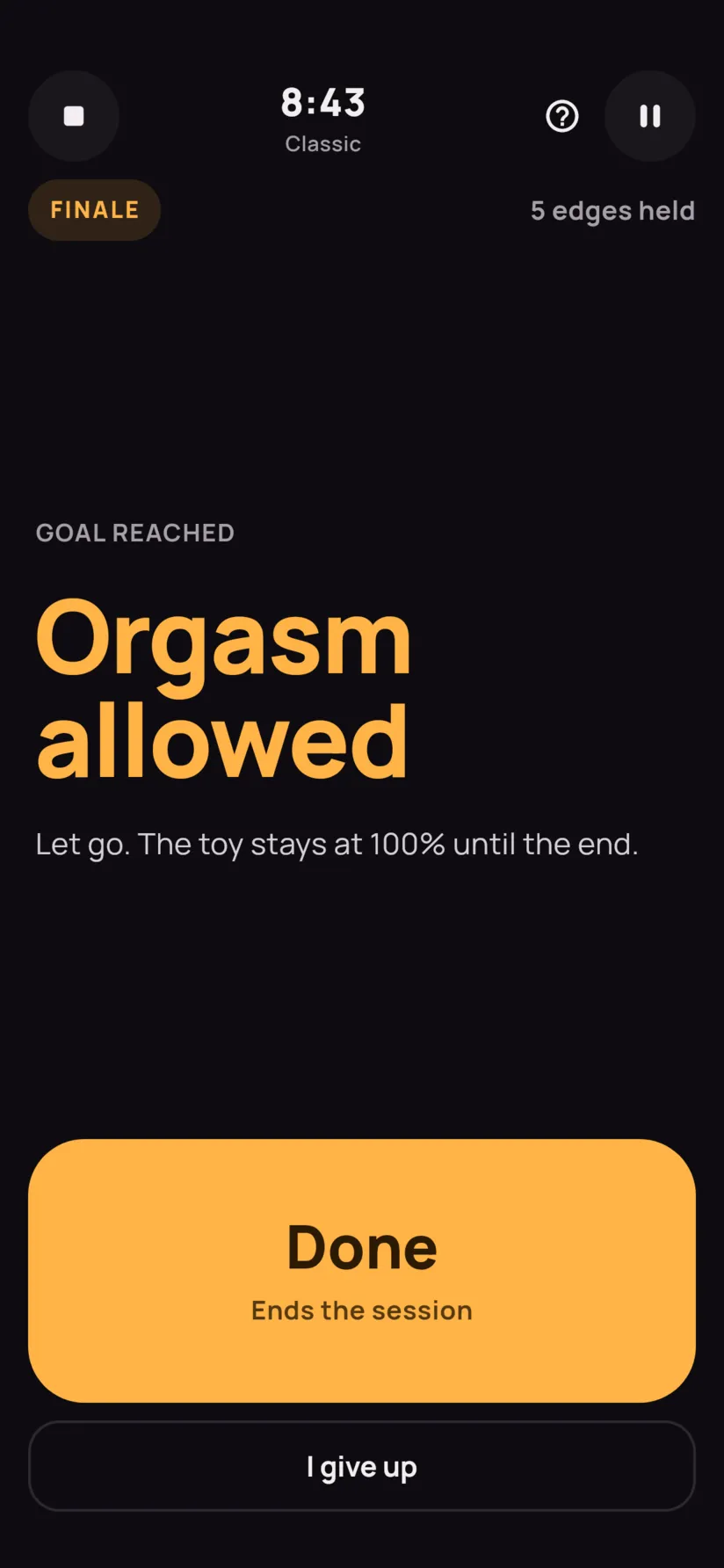
    Orgasm, ruined orgasm or denial: it’s set in advance, or drawn at random based on your odds. You only find out at the end.

Try it

Try it, right here, right now.

A miniature session: three edges, then the finale. Tap Close before the curve hits the top line. On a computer, the space bar does the same.

In the app, your toy follows the curve, and you’re the one who knows when you’re on the edge.

Ready 0 / 3

Intensity

0%

wave style
3 edges

Ready when you are. The curve starts rising as soon as you begin.

Features

Your session, your rules.

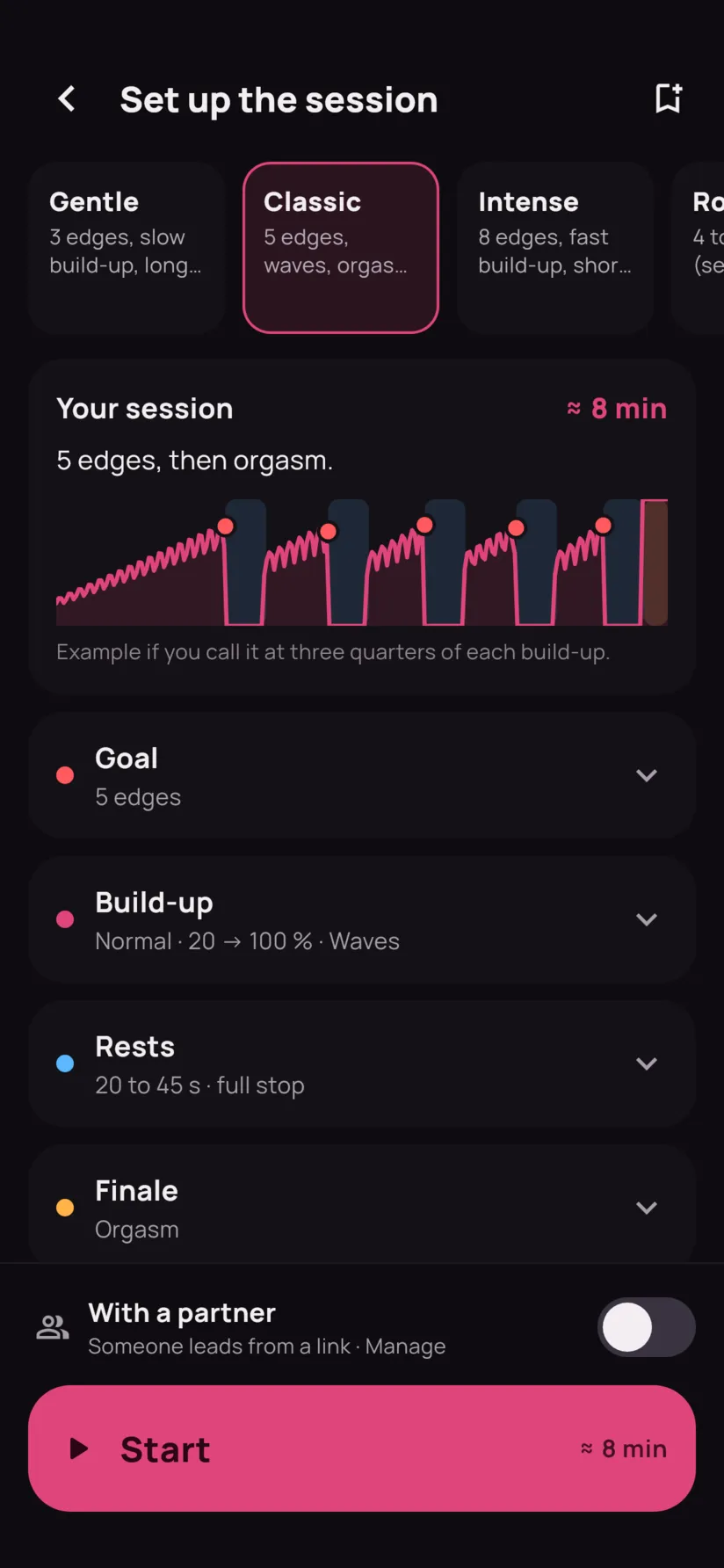
Seven presets: one tap on Start and you're off. And when you want to go further, every detail can be tuned: the build-up, the breaks, the goal and the ending.

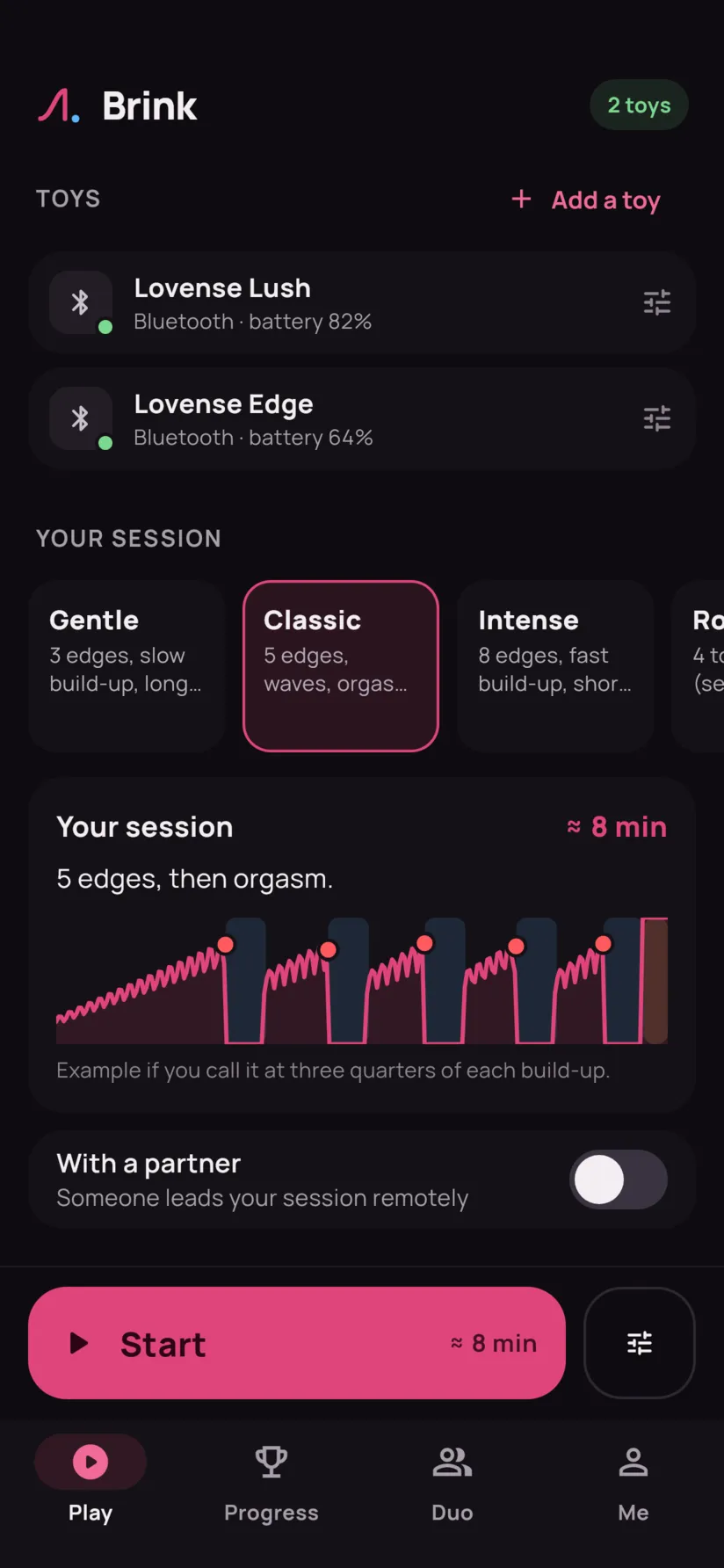
Seven presets to start with

Pick one on the Play tab, tap Start, and the session begins. Or start from one of them, adjust whatever you like, and save your own.

Gentle
3 edges, slow build-up, long rests.
Classic
5 edges, waves, orgasm at the end.
Intense
8 edges, fast build-up, short rests, 30 s more after.
Roulette
4 to 10 edges (secret), ending drawn at random.
Denial
6 edges, no release.
Express
30 min max, orgasm guaranteed at the end.
Marathon
45 min, then 1 min to come, not a second more.
The ending, left to chance

Orgasm, ruined orgasm or denial. Set the ending in advance, or set the odds and let chance decide.

  • Orgasm40%
  • Ruined30%
  • Denial30%

Optional: a time limit to come, stimulation that keeps going afterwards, and a penalty if it happens too soon.

Seven ways to build up

Set the starting intensity and the ceiling, the build-up speed, the acceleration after each edge. Then give it a shape.

  • Steady

  • Waves

  • Pulse

  • Stairs

  • Random

  • Surprises

  • Custom

A goal, or not

  • A number of edges

    Fixed, or drawn at random within a range. Even secret: you don’t know when it stops.

  • A duration

    45 minutes of edging, then the finale, no matter what.

    45:00
  • Free

    You start the finale whenever you want. With, if you’re short on time, a limit: “finish at the latest after 30 min”.

    ∞

Always a way out

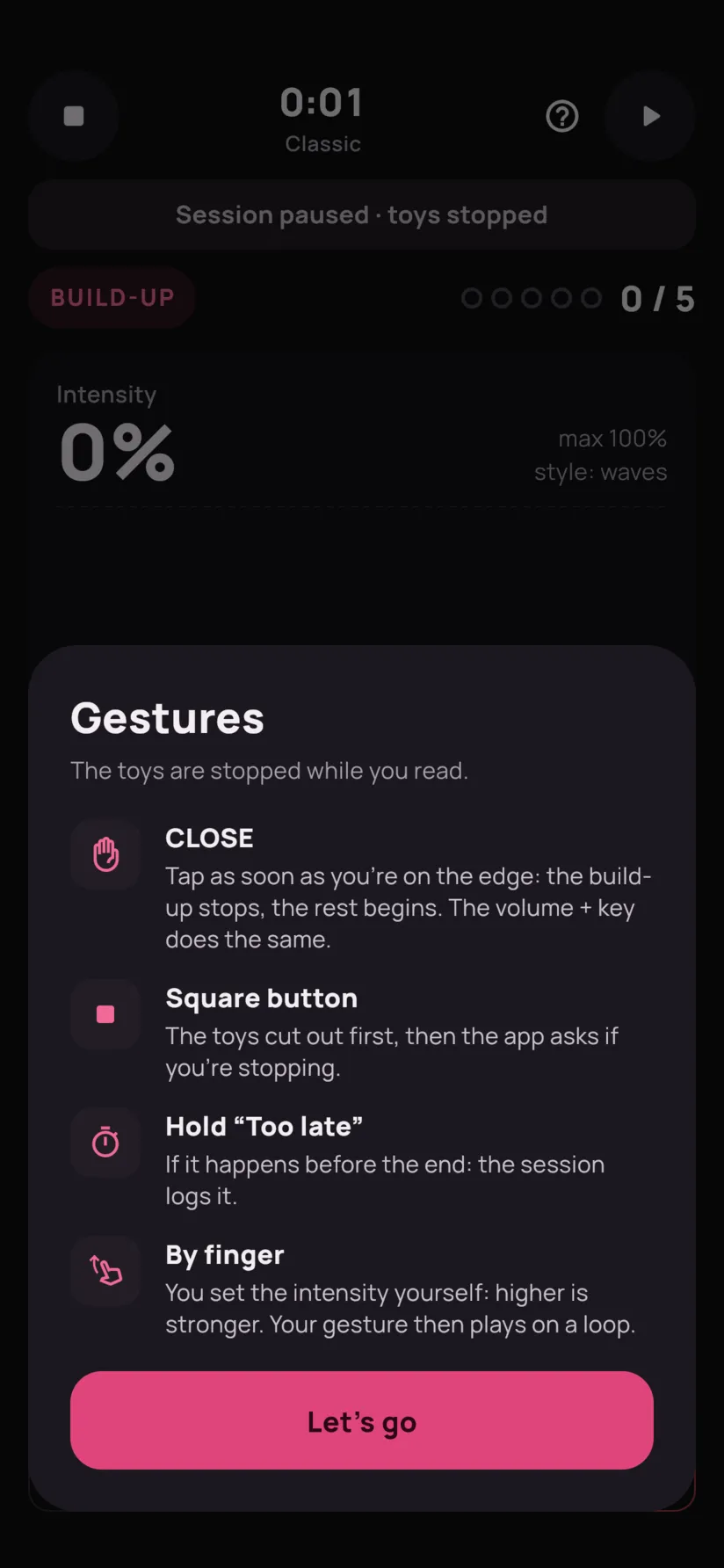
  • The stop button cuts the toys before asking for confirmation.
  • Pause at any time, screen kept on.

By finger

Take over the build-up: slide your finger, up is strong, down is soft. Let go, and your gesture plays on a loop.

A “By finger” switch during the session, at any time.

Control bubble

Switching to another app during the session? A bubble stays on top, with a big “CLOSE” button.

Android asks for your permission once. Without it, picture-in-picture takes over.

Progress

A reason to come back.
Every day.

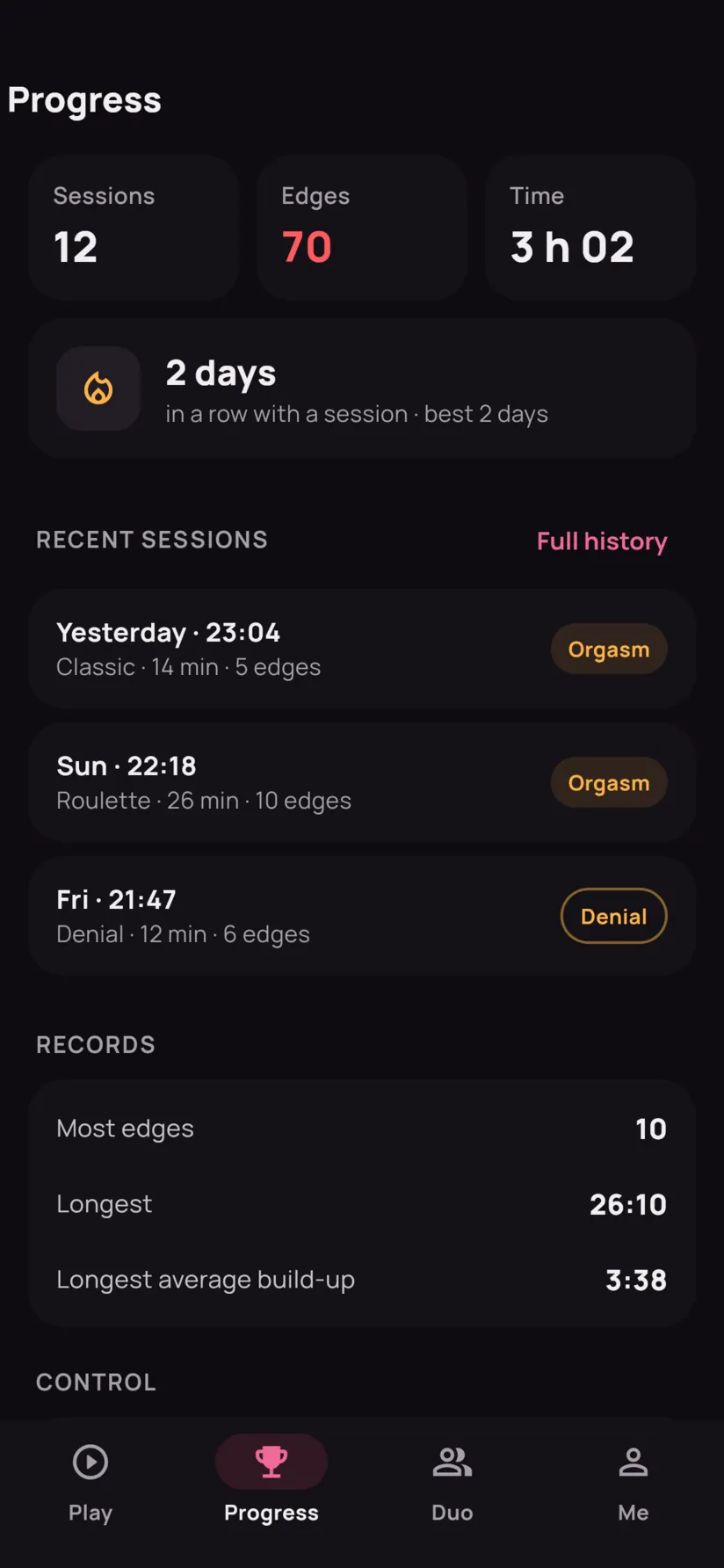
Multi-day programs, a challenge every day, badges and your streak: it's all on the Progress tab, and follows your account from one phone to the next.

Three programs

One session a day, more demanding each time. A missed day (too early, or stopped) can be retried; the next one opens the day after.

  • Initiation

    5 days

    Five days to learn to feel the edge, gently.

  • Endurance

    Day 4 of 7

    One week: more edges each day, shorter and shorter breaks.

  • Denial week

    7 days

    Six days with no release, longer and longer. On the seventh, you're allowed.

A challenge a day

Each day, a challenge changes one rule of your usual session. Take it from the Play tab, in one tap.

  • Two more
  • Lightning breaks
  • No shortcuts
  • Fate decides
  • Overtime

Fifteen badges

A first session, a hundred edges, a week without missing a day, a session started after midnight… And your streak of days, with your record.

  • First step
  • Regular
  • Double digits
  • Centurion
  • Marathon
  • Mastery
  • Three days straight
  • A whole week
  • Ascetic
  • On the brink
  • Composure
  • Night owl
  • Challenge accepted
  • Ten challenges
  • Program complete

A summary every time

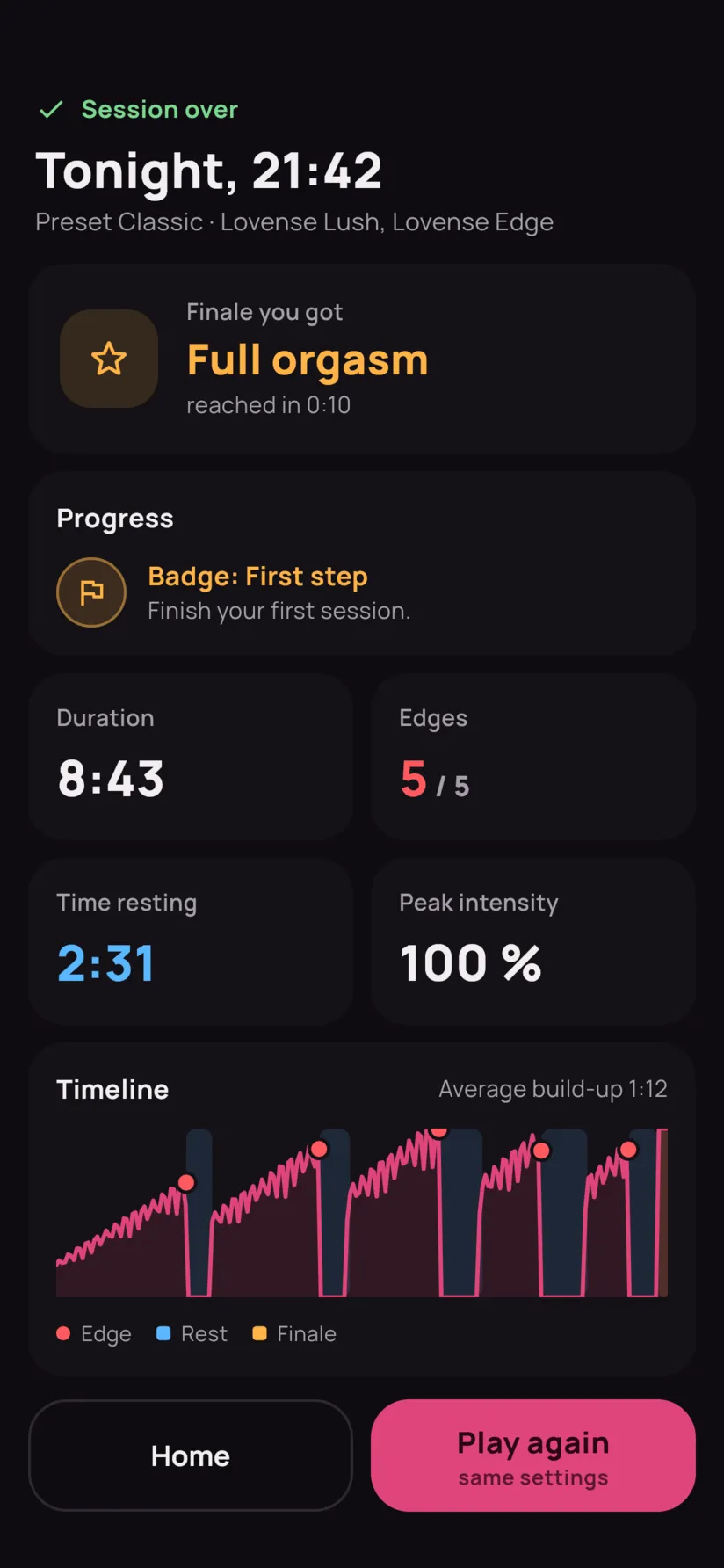
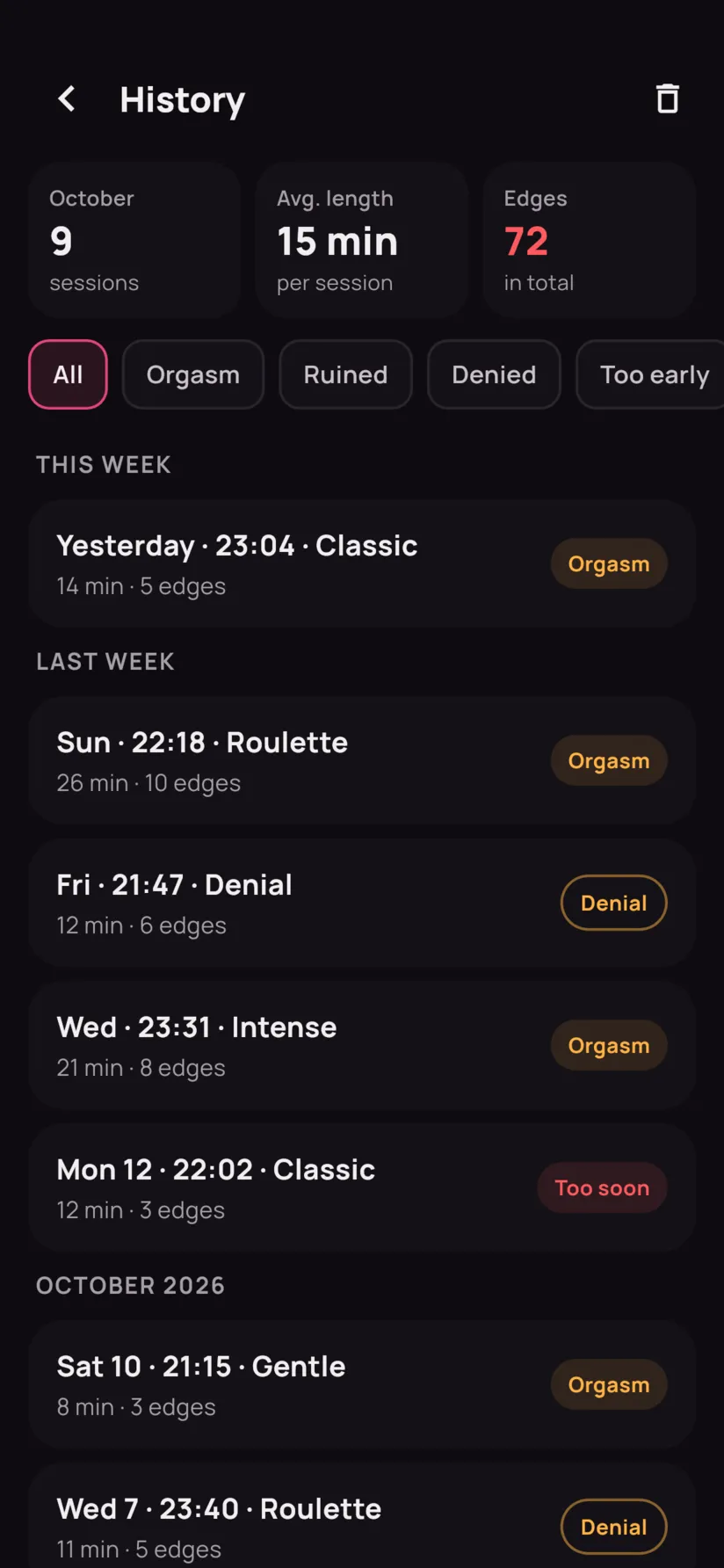
The finale you got, time spent resting, peak intensity, the full timeline and a note for yourself. Your history sorts your sessions by week.

October
9
sessions
Average
15
min
Edges
72
in total

4-day streak · record 9

For two

Let someone
take over.

Your partner follows your session live and leads it: the intensity, forced breaks, the number of edges and the final verdict. Free, like everything else.

  • With a link

    Create a link from the Duo tab and send it. They open it in their browser: nothing to install, no account. Each link can be deleted on its own.

  • Between accounts

    Invite a partner by their username. Once the invitation is accepted, either of you can lead the other from the app, and see when the other is in a session.

  • Messaging

    To talk before, during and after. Between partners only, and everyone can delete their own messages.

  • Report, block

    Someone crossing the line? Report and block them from the conversation or the Duo tab: they can't find you anymore, and won't know.

The toy stays driven by your phone: “Close” and the stop are always on your side.

What your partner sees, in their browser or in the app.

Screenshots

The app, for real.

Toys

Your connected toys.
Even several at once.

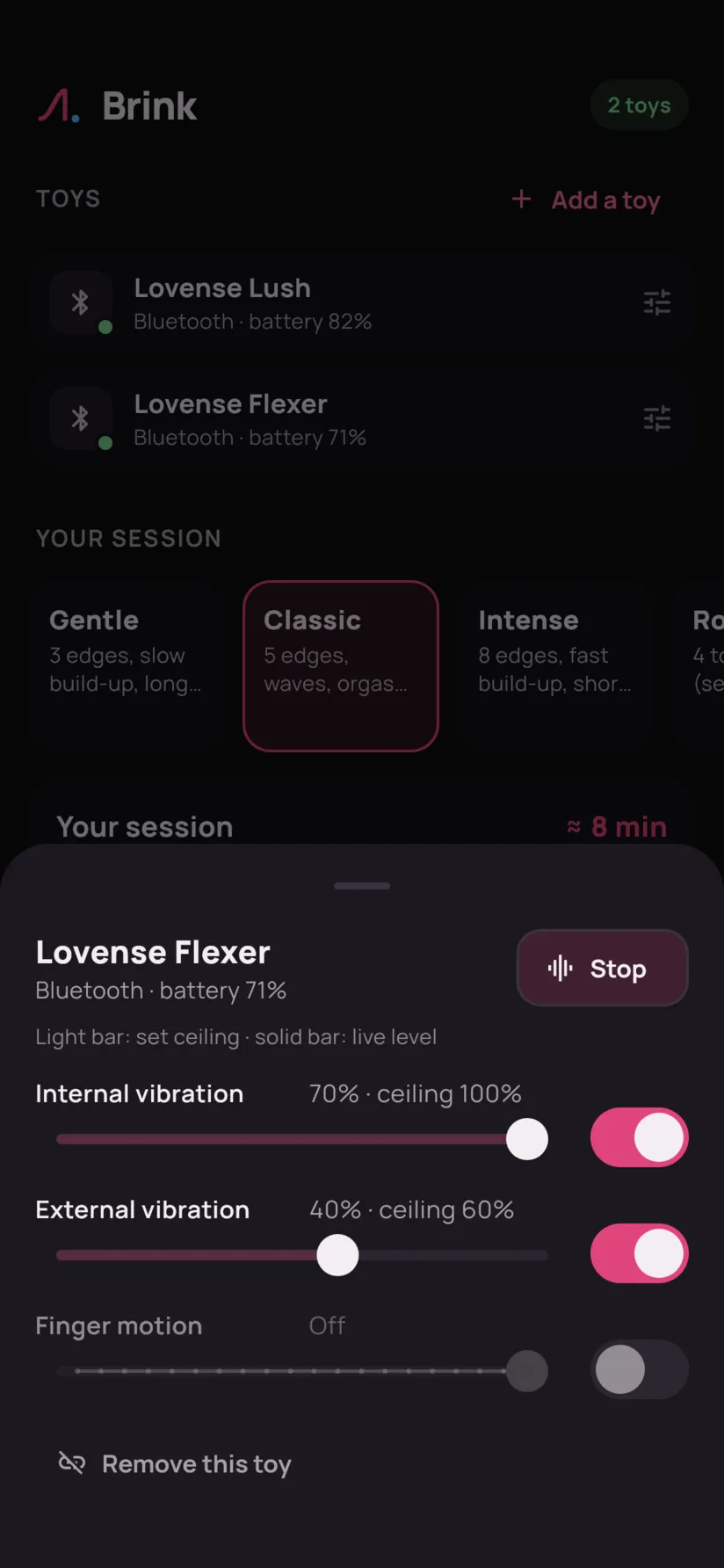
Every function of every toy follows the session: motors, rotation, air pump, thrusting. You can turn each one off or cap it, and Brink remembers your settings for each model.

Direct Bluetooth

Lovense toys: Brink connects to them directly. No need for their app, an account, or the internet.

Intiface Central

Other brands (We-Vibe, Satisfyer, Kiiroo, Magic Motion…) go through Intiface Central, a free app that recognizes hundreds of models. Its server runs on the phone or on a PC on your local network.

Recognized over direct Bluetooth

  • Vibration

    Lush, Hush, Ambi, Domi, Ferri, Diamo, Osci, Mission, Calor, Gush, Tenera, Vulse, Synth

  • Dual motors

    Edge, Dolce, Gemini, Hyphy, Osci 3

  • Rotation

    Nora, Ridge, Velvo

  • Thrusting

    Solace, Solace Pro, Gravity, Spinel, Sex Machine, Mini Sex Machine

  • Contraction

    Max, with its air pump

  • Multi-function

    Lapis (three zones), Flexer (vibrations and finger motion)

A Lovense model missing from the list? Brink drives it as a simple vibrator, which every Lovense toy understands. Through Intiface, Brink drives vibration, rotation and constriction, but not yet stroking devices driven by position, like The Handy. Brink is an independent app, not affiliated with the brands mentioned.

Install

Three steps,
two minutes.

Brink isn’t on the Play Store: Google doesn’t accept apps of this kind. You install it straight from this site.

  1. 1

    Download the APK

    From your phone, with the download button. The file is around fifty megabytes.

  2. 2

    Allow the installation

    Android asks you to allow your browser to install apps. Accept this once; you can remove the permission afterwards.

  3. 3

    Open Brink

    Allow Bluetooth when the app asks, turn on your toy, and start your first session.

Brink

First version in the works

Coming soon
Android
7.0 or newer
Connection
Bluetooth Low Energy
Price
Free, no ads
Audience
18+ only

Updating: download the new version and install it over the old one. Your history and settings are kept.

FAQ

Frequently asked questions

Another question? The details about data are in the privacy policy.

Is it free?

Yes, and with no ads.

Why isn’t the app on the Play Store?

Google Play’s rules forbid sexual apps, including those meant as sexual aids. So Brink is downloaded here, directly.

Is it safe to install an APK?

Only download it from this site. You can compare its SHA-256 fingerprint with the one shown above. After that, Android refuses any update that isn’t signed with the same key as the installed version.

Do I need my toy’s app?

No. Lovense toys connect directly over Bluetooth; other brands go through Intiface Central, a free app. All you need is a Brink account (an email and a password): after that, sessions work even without the internet.

My toy doesn’t show up.

Check that it’s on, charged, and not already connected to its brand’s app: a toy only talks to one app at a time. Close it completely, then search again. If it isn’t a Lovense, go through Intiface Central.

Can I try it without a toy?

Yes: in “Add a toy”, choose “Simulated toy”. The session runs just like with a real one, and the toy is gone the next time you open the app.

How does partner mode work?

From the app’s Duo tab, you share a link: whoever opens it follows your session live in their browser and runs it (intensity, forced breaks, choice of ending), without installing anything. Between Brink accounts, you invite each other by username, and either of you can run the other’s session from the app, with messaging. The toy is still driven by your phone: “Close” and the stop button always stay on your side. If someone behaves badly, report and block them from the conversation or the Duo tab.

Can I stop at any time?

Yes. The stop button cuts the toys immediately, before even asking for confirmation. And pause is always one tap away.

What about iPhone?

Not for now: Brink is only available on Android.

Which languages?

French, English, Spanish, German, Italian and Portuguese (Brazilian). The app follows your phone's language, and you can change it in Me › Language.

What if I change phones?

Sign in with your account: history, progress, partners and messages follow you. Your presets and toy settings stay on the old phone.

What data is collected?

Your email, your session history and your progress, stored on your account so you can get them back on another phone. If you use partner mode: your username, your partners, your links and your messages. Nothing else, no ads and no tracking: the service only derives anonymous totals from it, to monitor how it runs. You can delete your account and everything in it from the app.

How long
can you last?

One session, one button, and an edge that moves back a little each time.

Coming soon

18+

Adults only

Brink controls sex toys.

By continuing, you confirm you are 18 or older.